What content posting automation should handle
Good automation does not mean handing your accounts to a random scheduler and hoping for the best. It should remove the repetitive work: remembering to post, resizing ideas for each network, balancing topics, and keeping a queue full.
The parts you should still define are your positioning, voice, audience, topics, and any hard lines you do not want crossed. LazyPosts is built around that split: you connect your accounts once, create a brand profile, then let the system draft and queue posts for review or autopublishing.
Step-by-step: how to set up social media automation
1. Open your automation dashboard
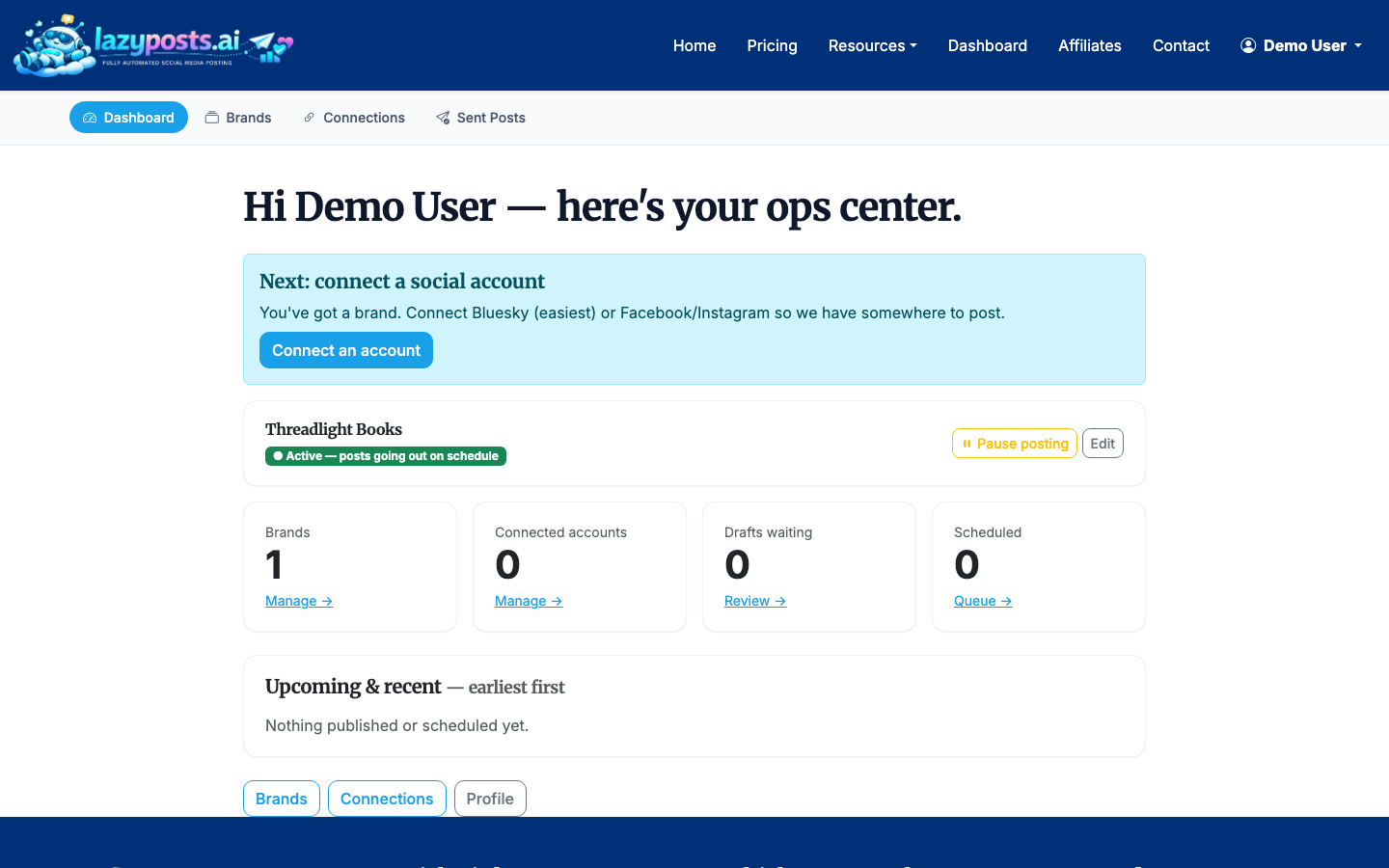
After signing in, start from the app dashboard. This is the hub for your brand profiles, social connections, draft queue, and sent archive.
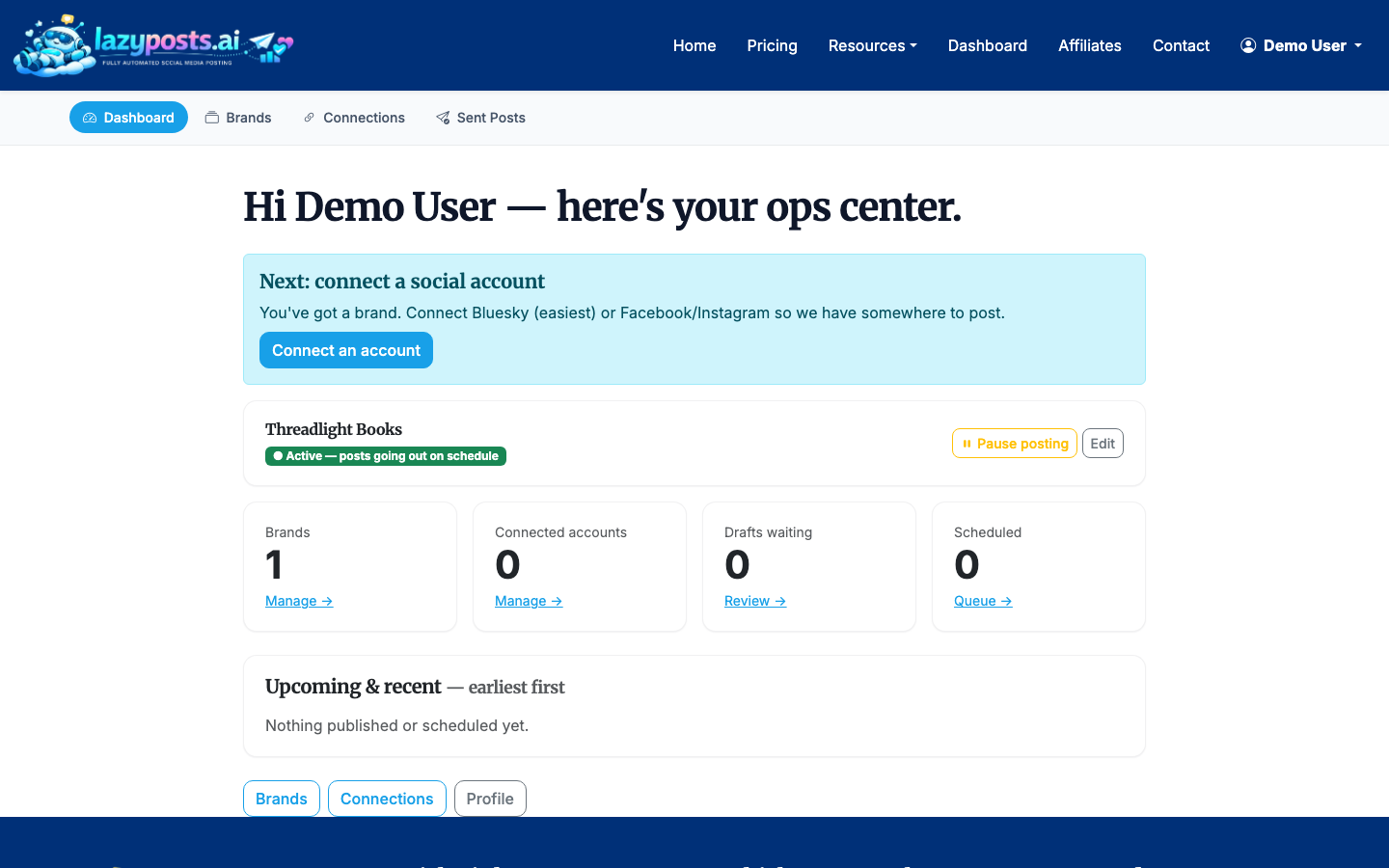
Use this page to check the basic health of your setup. If you have not connected accounts or created a brand yet, those are the two pieces to do first.
2. Create or choose a brand profile
Your brand profile is what keeps automation from becoming generic. Go to the brands area and either create a new profile or open an existing one.
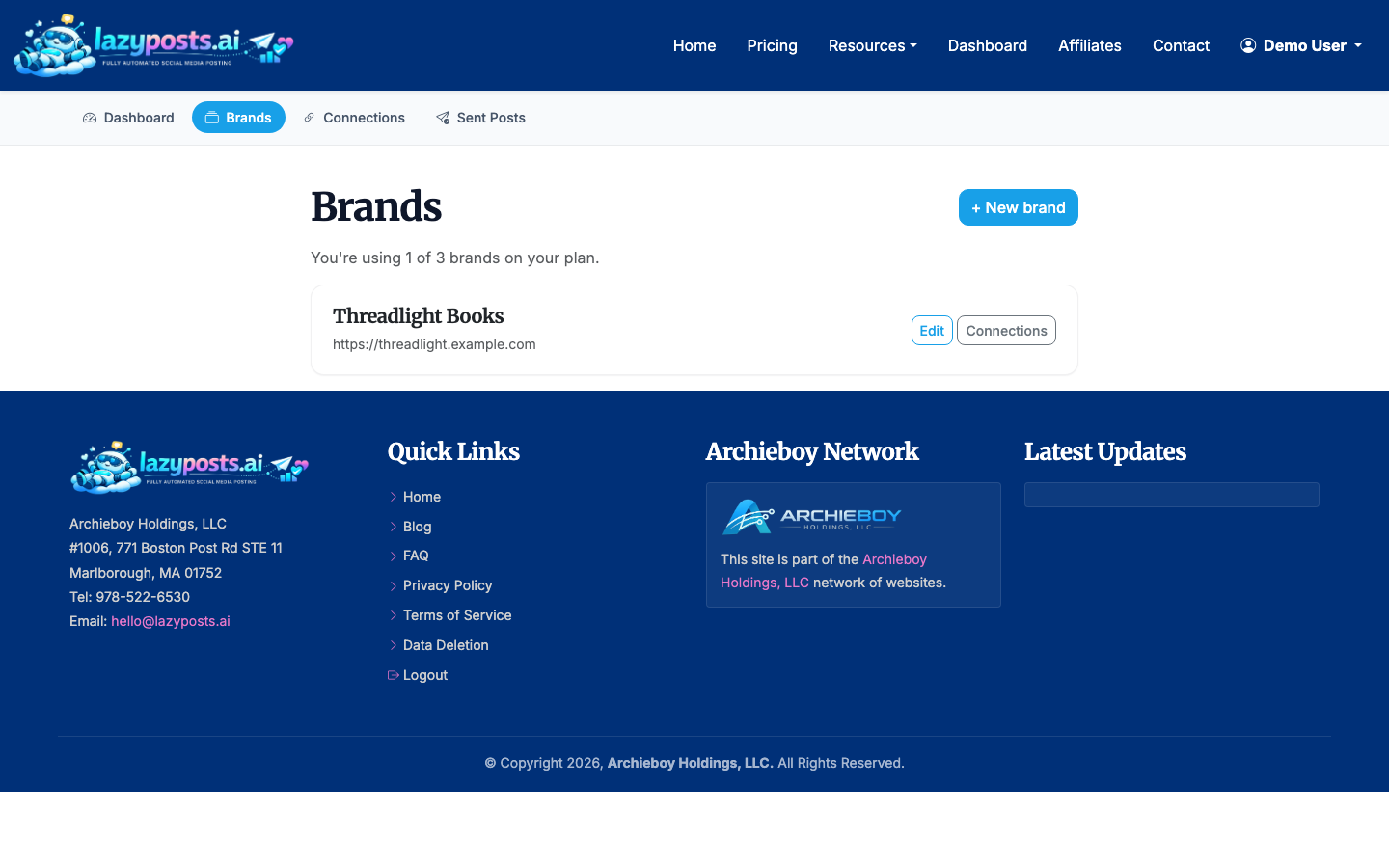
For a small business or solo founder, one brand is usually enough. Agencies, consultants, or multi-location businesses may want separate brand profiles so each queue has its own audience, tone, topics, and connected channels.
3. Define your voice, audience, and boundaries
Open the brand editor and fill in the fields that tell LazyPosts what to write about and what to avoid.
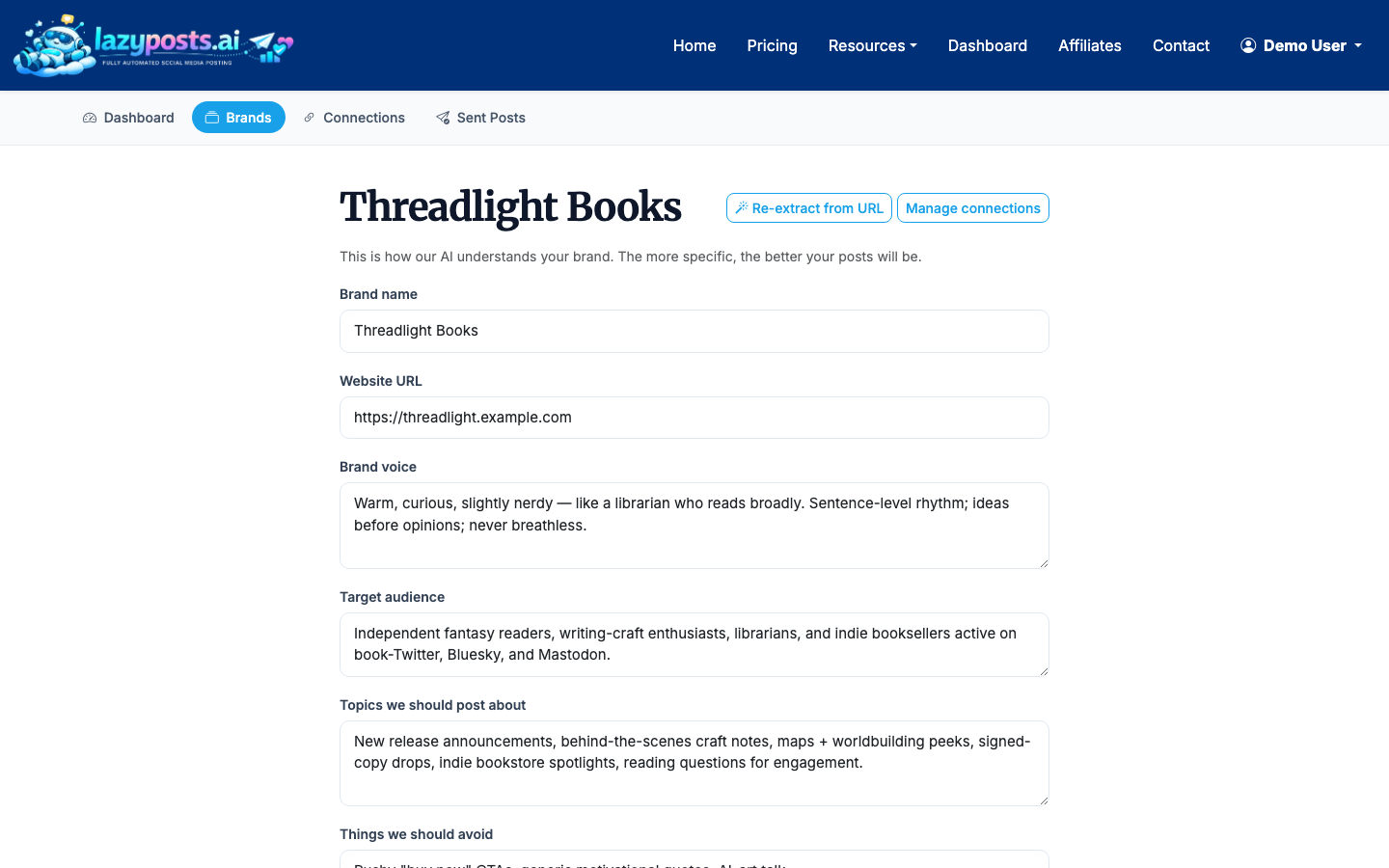
Useful inputs include:
- Website URL, so LazyPosts can extract basic context from your site
- Brand voice, such as practical, direct, warm, technical, premium, or casual
- Target audience, including industry, role, location, or buying stage
- Topic areas you want covered regularly
- Avoid-list items, such as claims you cannot make, competitors you do not mention, or phrases that sound off-brand
Do not overcomplicate this. A strong paragraph about your business and 5-10 topic areas is usually more useful than a long brand manifesto.
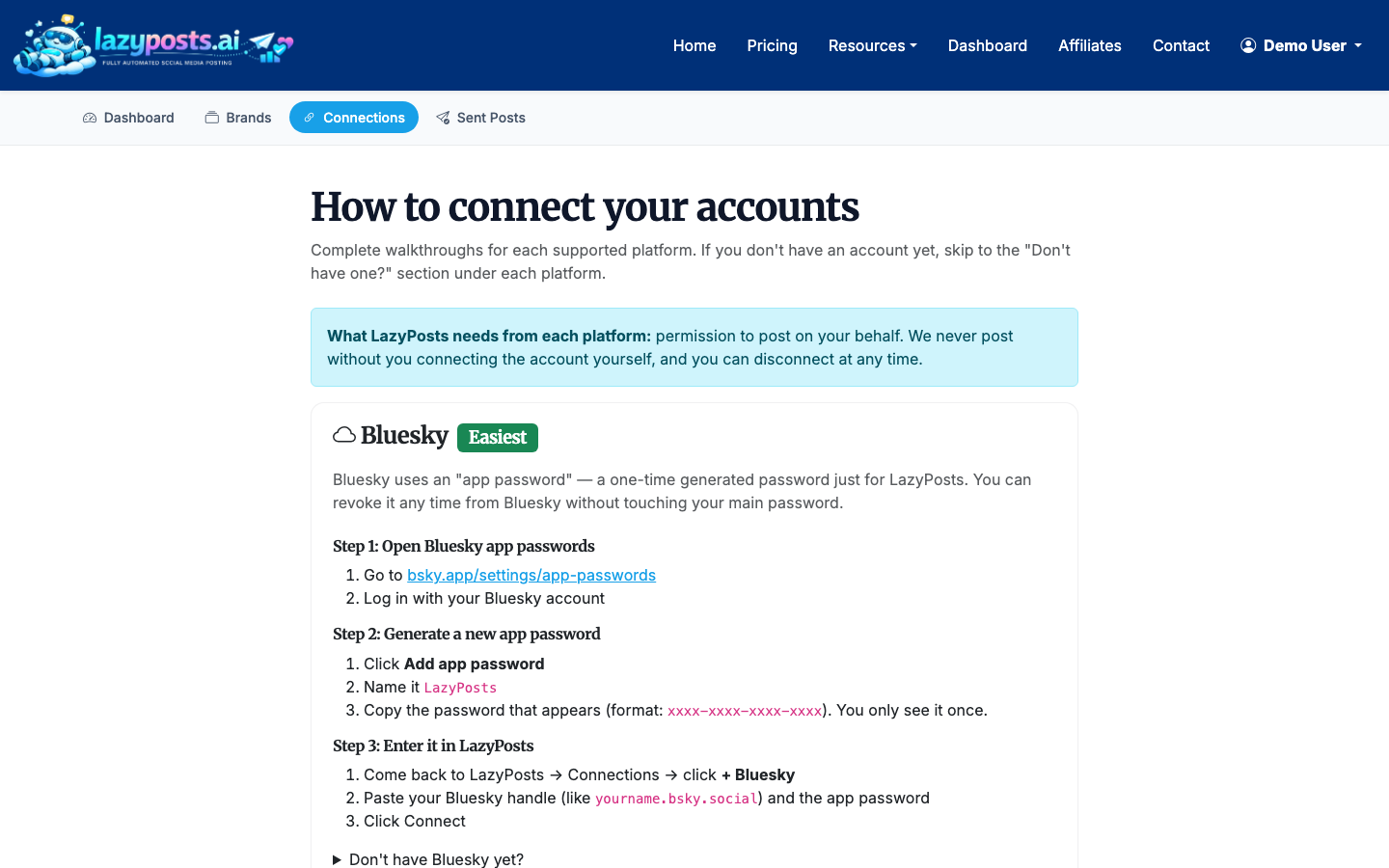
4. Connect your social accounts
Next, open the connections page and connect the networks you want LazyPosts to publish to. LazyPosts supports Bluesky, LinkedIn, Instagram, Facebook, and Pinterest.
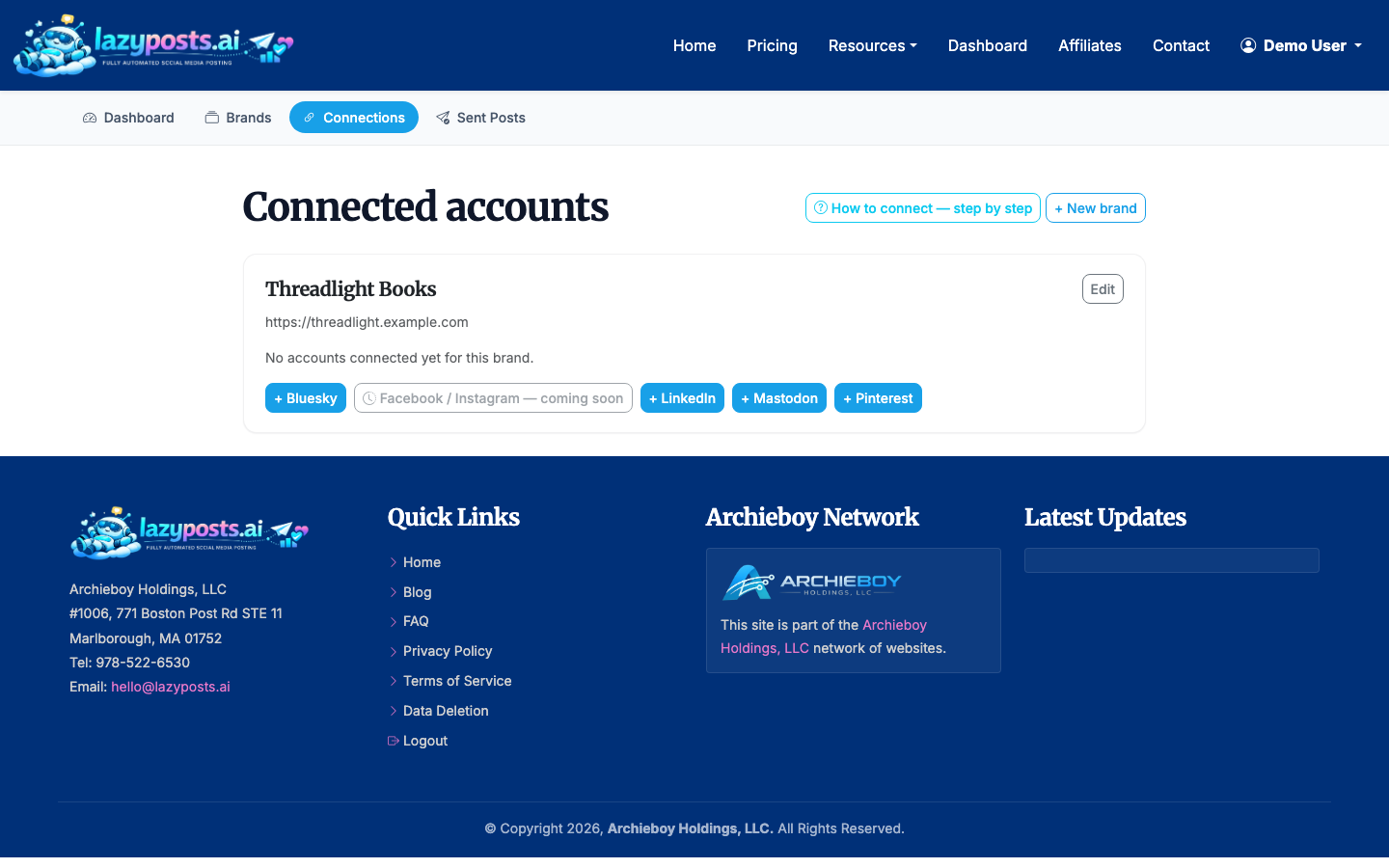
Each network uses its own authorization flow. For example, Meta permissions apply to Instagram and Facebook, while LinkedIn and Bluesky use separate account connections. If something fails during setup, check that you are logged into the right social account in your browser before trying again.
5. Review the AI-generated draft queue
Once your brand and connections are ready, LazyPosts can generate a queue of upcoming posts. Open the drafts page to review what is planned.
For each draft, you can approve, edit, regenerate, or publish. This is where you decide how much control you want:
- Use approval mode if your industry has compliance, legal, or reputation risk
- Edit drafts when the idea is right but the wording needs your touch
- Regenerate when the angle is wrong or too repetitive
- Publish directly when the post is ready and timely
The biggest quality lever is feedback. If a post is close, edit it rather than deleting it. Those edits help clarify what “good” looks like for your brand.
6. Let the queue run, but check it regularly
After a few approved posts, you can let automation carry more of the load. A practical rhythm is to review drafts once or twice per week, then let LazyPosts handle the actual posting schedule.
For most small businesses, a good starting cadence is:
- LinkedIn: 2-4 posts per week
- Instagram or Facebook: 3-5 posts per week
- Bluesky or Mastodon: 3-7 posts per week
- Pinterest: 3-10 pins per week if visual content matters in your category
Those are starting points, not rules. A consultant with a thoughtful LinkedIn audience may do better with fewer, stronger posts. A local retail business may benefit from more frequent Instagram and Facebook updates.
7. Check what has already published
Use the sent archive to confirm what went live and where it was posted.
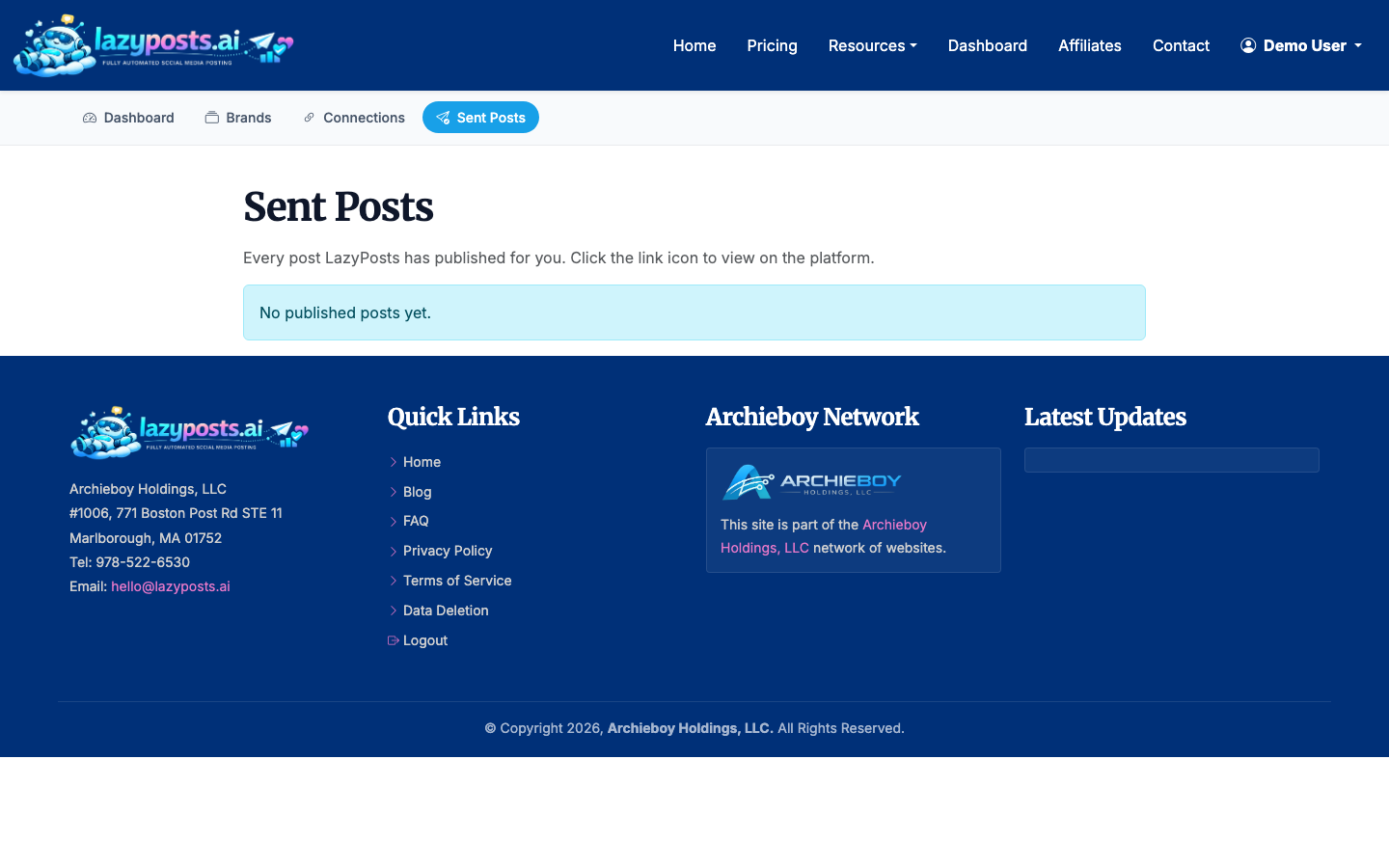
This is useful for spotting patterns: which topics repeat too often, which networks need more variety, and whether your queue is balanced across educational, promotional, behind-the-scenes, and opinion-led posts.
What to automate and what to keep manual
Automate the tasks that are predictable: drafting, queueing, adapting post formats, adding image suggestions, and publishing at the selected cadence.
Keep manual control over sensitive announcements, crisis responses, legal claims, customer complaints, hiring news, pricing changes, and anything that depends on breaking news. Automation is strongest for steady visibility, not high-stakes judgment calls.
If Instagram is your main channel, you may also want the more specific guide on how to schedule Instagram posts. If short-form video is part of your strategy, see how to schedule Reels on Instagram. For Meta workflows, this guide on automatically posting from Facebook to Instagram explains the tradeoffs. If you run more than one business or client account, How to Automate Social Media for Multiple Brands covers keeping voices, queues, and approvals separate.
A simple automation setup that works
If you are starting from scratch, use this setup:
- Connect two networks first, usually LinkedIn plus Instagram or Facebook
- Create one brand profile with a clear voice and 5-10 topics
- Require approval for the first 20 posts
- Review drafts twice per week for 15 minutes
- Pause or adjust topics if the queue starts repeating itself
After two to four weeks, you will know whether your cadence is too aggressive, too light, or just right. The goal is not to disappear from the process. It is to stop rebuilding the process every time you need to post.
