What Social Account Automation Should Actually Do
A good automation setup should help you publish consistently without making every account sound generic. At minimum, it should handle four jobs:
- Connect your social accounts securely
- Create or schedule posts for each network
- Keep your brand voice and topics consistent
- Let you review, pause, edit, or publish when needed
The tradeoff is control versus time. Full autopilot saves the most time, but most businesses should start with an approval step until the system learns their voice. Once you see a few weeks of solid drafts, you can decide whether to loosen the gate.
How to Automate Multiple Social Accounts in LazyPosts
1. Open your app dashboard
Start from the authenticated app home. This is the hub for your brands, connected accounts, drafts, and published archive.
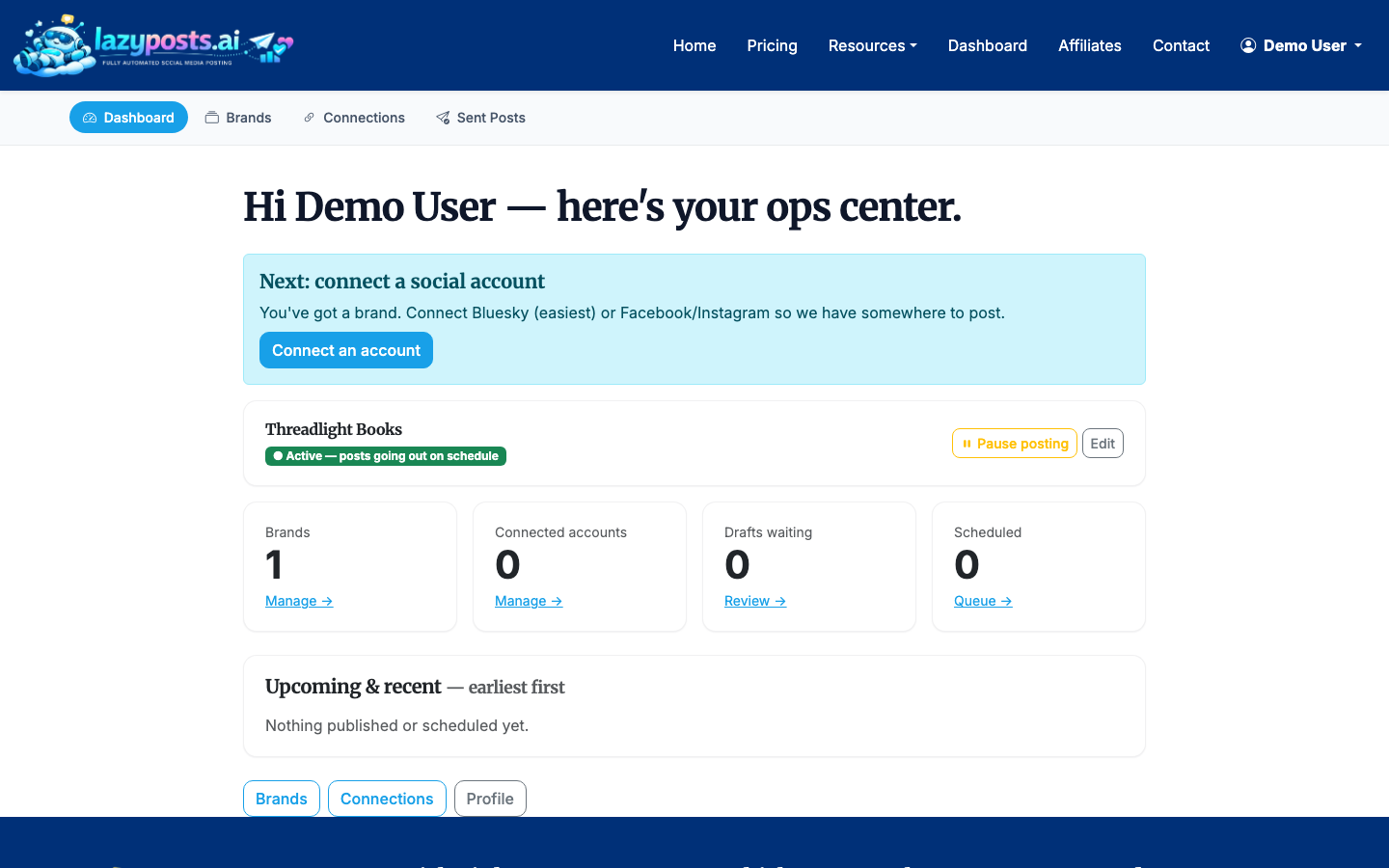
If you manage more than one business, product, or personal brand, keep them separate. A founder profile, a local service business, and a SaaS product usually need different tones, topics, and calls to action.
2. Create or choose a brand profile
Go to your brands area and choose the brand you want to automate. LazyPosts supports multi-brand setups, so one account can manage separate publishing systems for different businesses or clients.
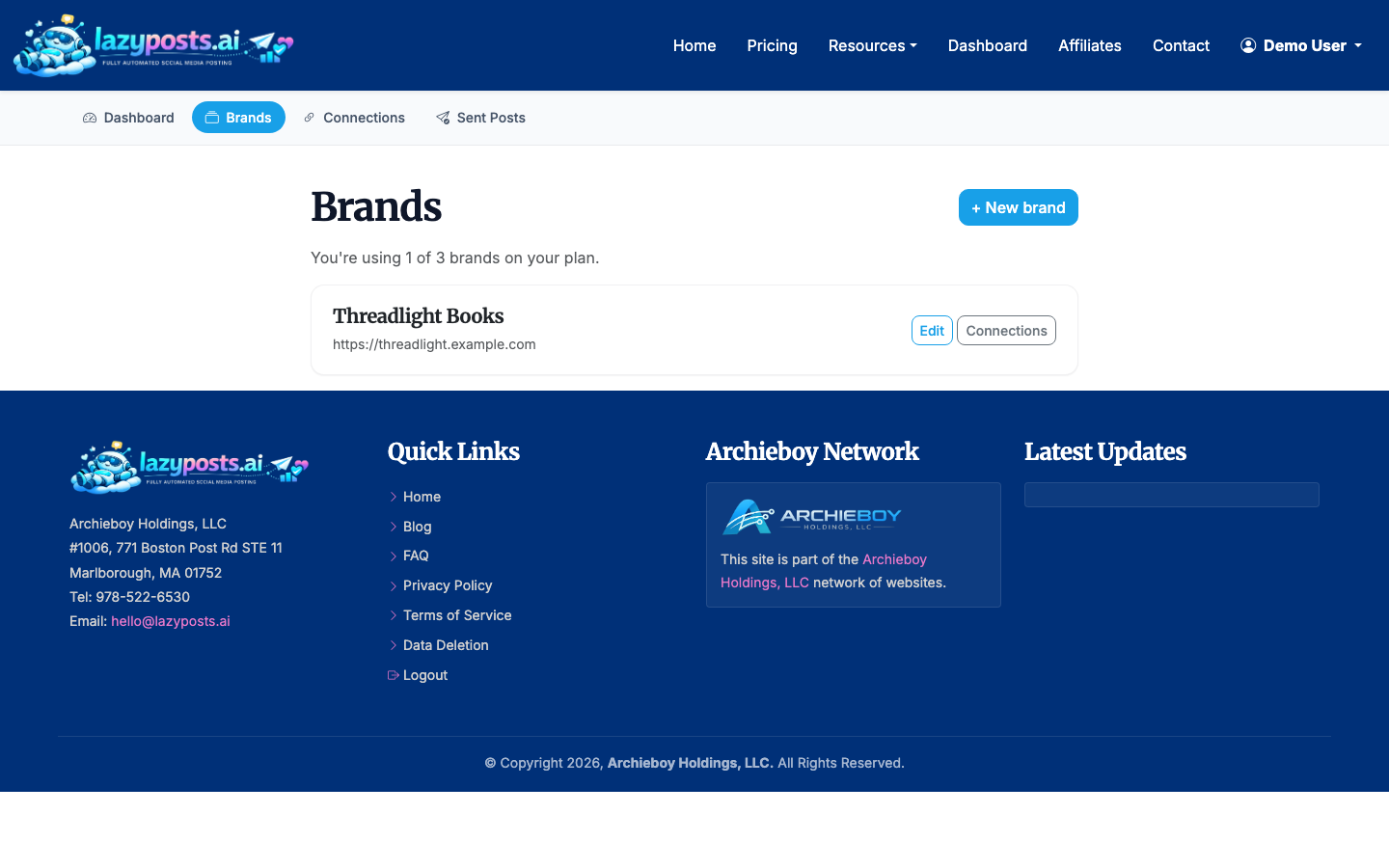
Use the active or paused status intentionally. If you are still shaping the brand profile, keep the brand paused until the drafts look right. If a campaign ends, pause the brand instead of deleting the setup.
3. Define your voice, audience, topics, and avoid-list
Open the brand editor and fill in the core fields: voice, audience, topics, avoid-list, and website URL. LazyPosts can use your website to extract business context, but the manual fields are still important because they tell the system what to emphasize and what to avoid.
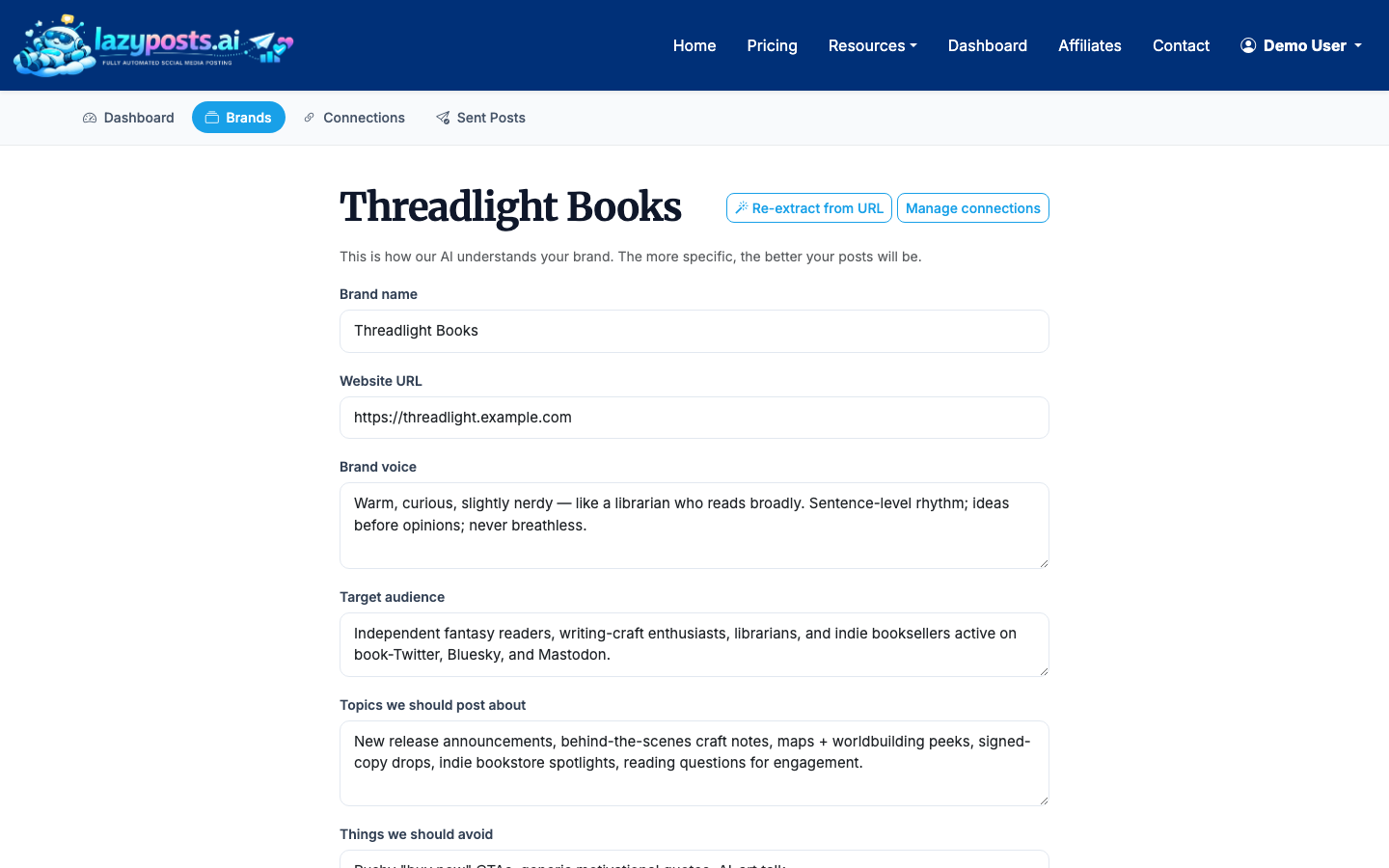
Useful inputs include:
- Voice: “plainspoken, helpful, slightly witty, no hype”
- Audience: “solo consultants and small agencies”
- Topics: “client operations, repeatable systems, social media consistency”
- Avoid-list: “crypto, political commentary, exaggerated income claims”
4. Connect each social network once
Next, connect the accounts you want LazyPosts to manage. LazyPosts supports Bluesky, LinkedIn, Instagram, Facebook, and Pinterest through network-specific connection flows.
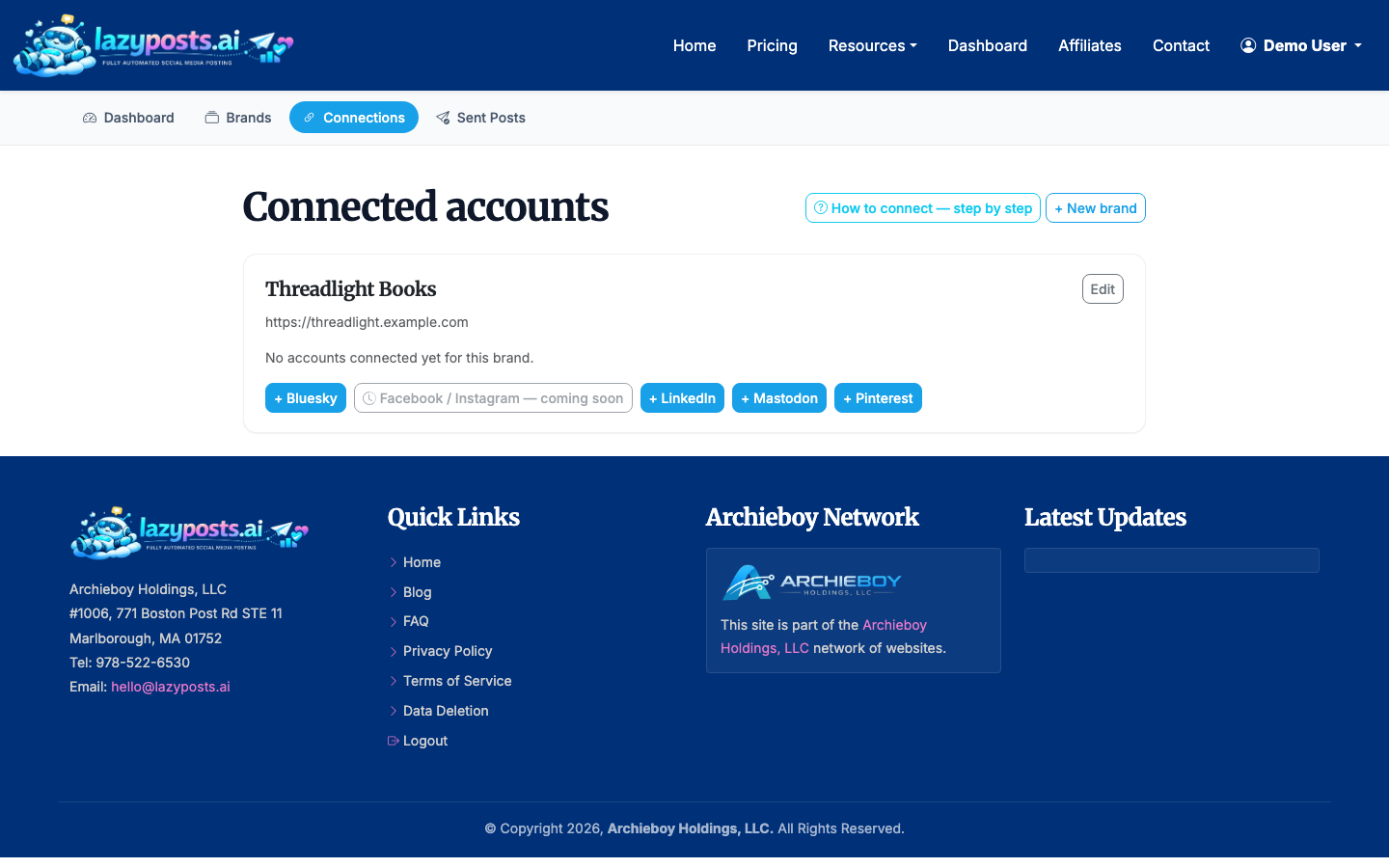
Each platform has its own permission model. For example, Meta permissions cover Instagram and Facebook publishing, while LinkedIn and Bluesky have their own authorization steps. If you are unsure what a network needs, review the setup guide before connecting.
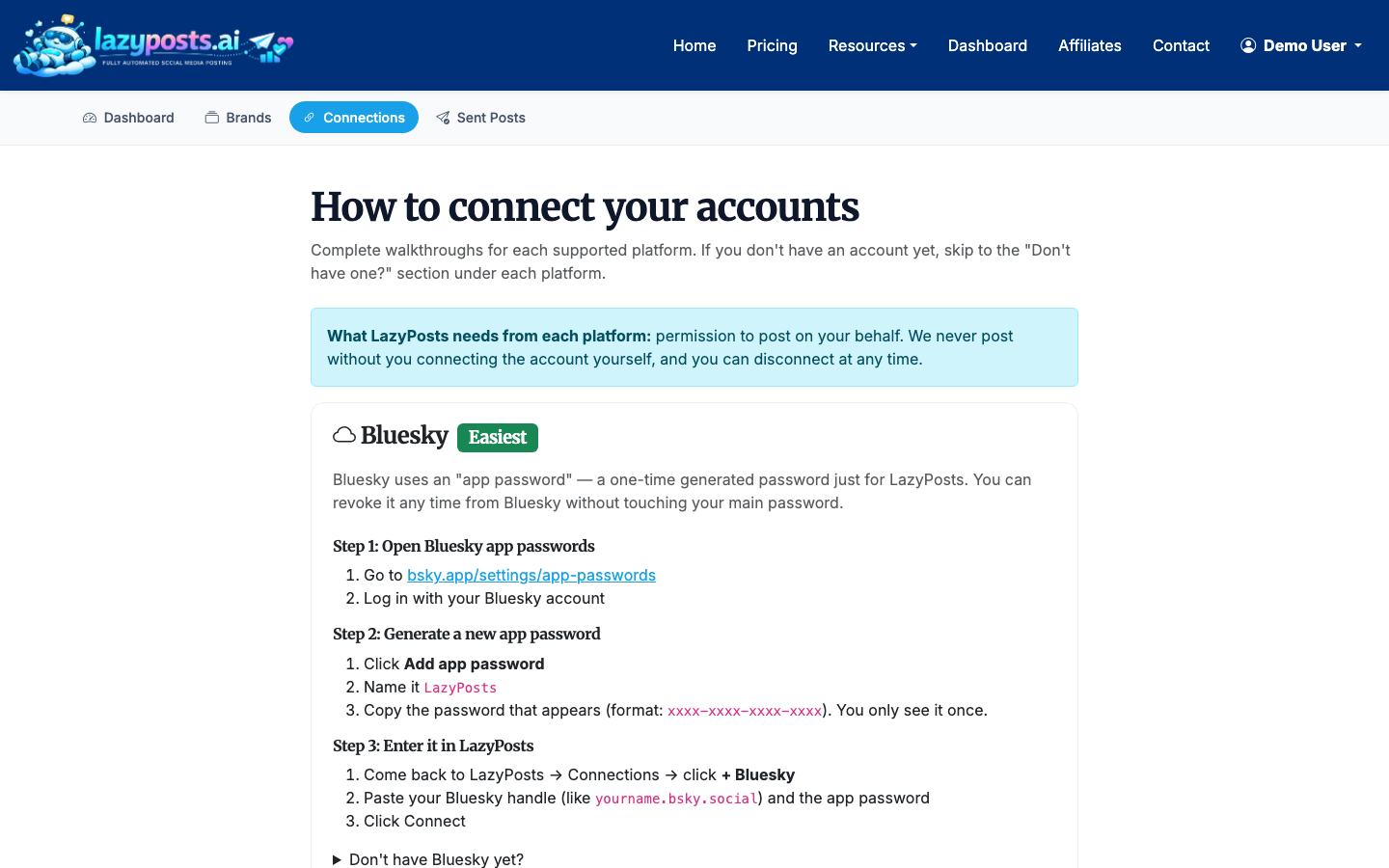
For Instagram-specific workflows, you may also want to read How to Schedule Instagram Posts and How to Schedule Reels on Instagram. If Facebook is one of the accounts, How to Automate Facebook Posts covers connecting a Page and the permission prompts Meta shows.
5. Review the AI-generated draft queue
Once your brand and accounts are connected, LazyPosts can generate upcoming post drafts. The drafts page shows queued content with options to edit, approve, regenerate, or publish individual posts.
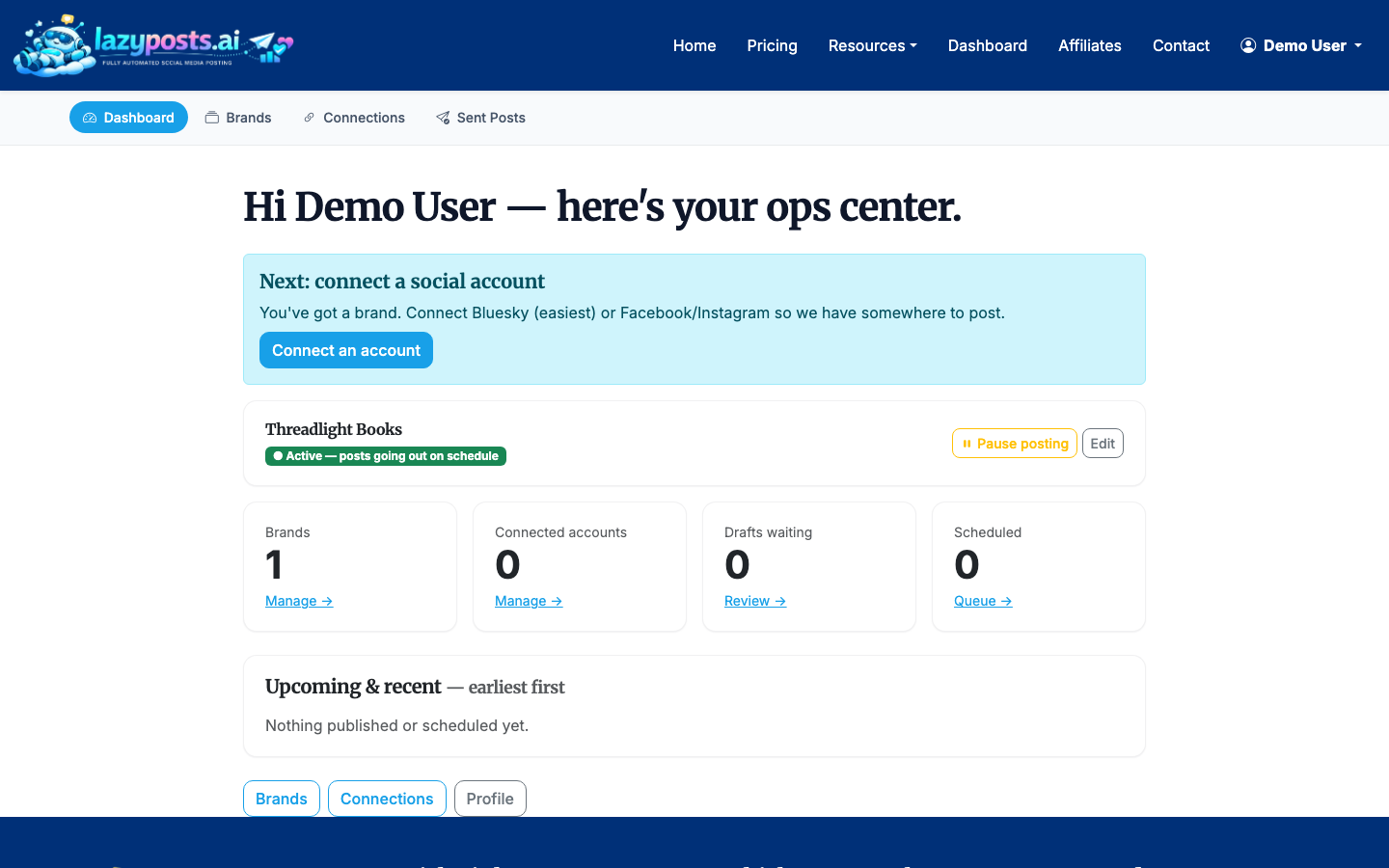
This is where automation becomes practical. Instead of writing from scratch every time, you review a prepared queue. For most small businesses, a weekly review rhythm works well: spend 15-30 minutes approving, editing, or regenerating the next batch.
When reviewing drafts, look for:
- Accuracy: Does the post make a claim you can stand behind?
- Voice: Does it sound like your business, not a template?
- Fit: Does the topic make sense for the selected network?
- Repetition: Are posts varying between education, proof, offers, and personality?
6. Use approval gates until you trust the output
Automation does not have to mean instant publishing. In LazyPosts, you can keep an approval step before posts go live. That gives you a practical middle ground: the system does the drafting and queue management, while you keep editorial control.
Approval gates are especially useful when:
- You are connecting a new brand
- Your business has regulated or sensitive claims
- You publish on behalf of clients
- You are still refining the avoid-list
7. Track what has already been published
Use the sent archive to confirm what went live, where it published, and which brand it belonged to. This helps prevent duplicate messaging and gives you a simple record of your social activity.
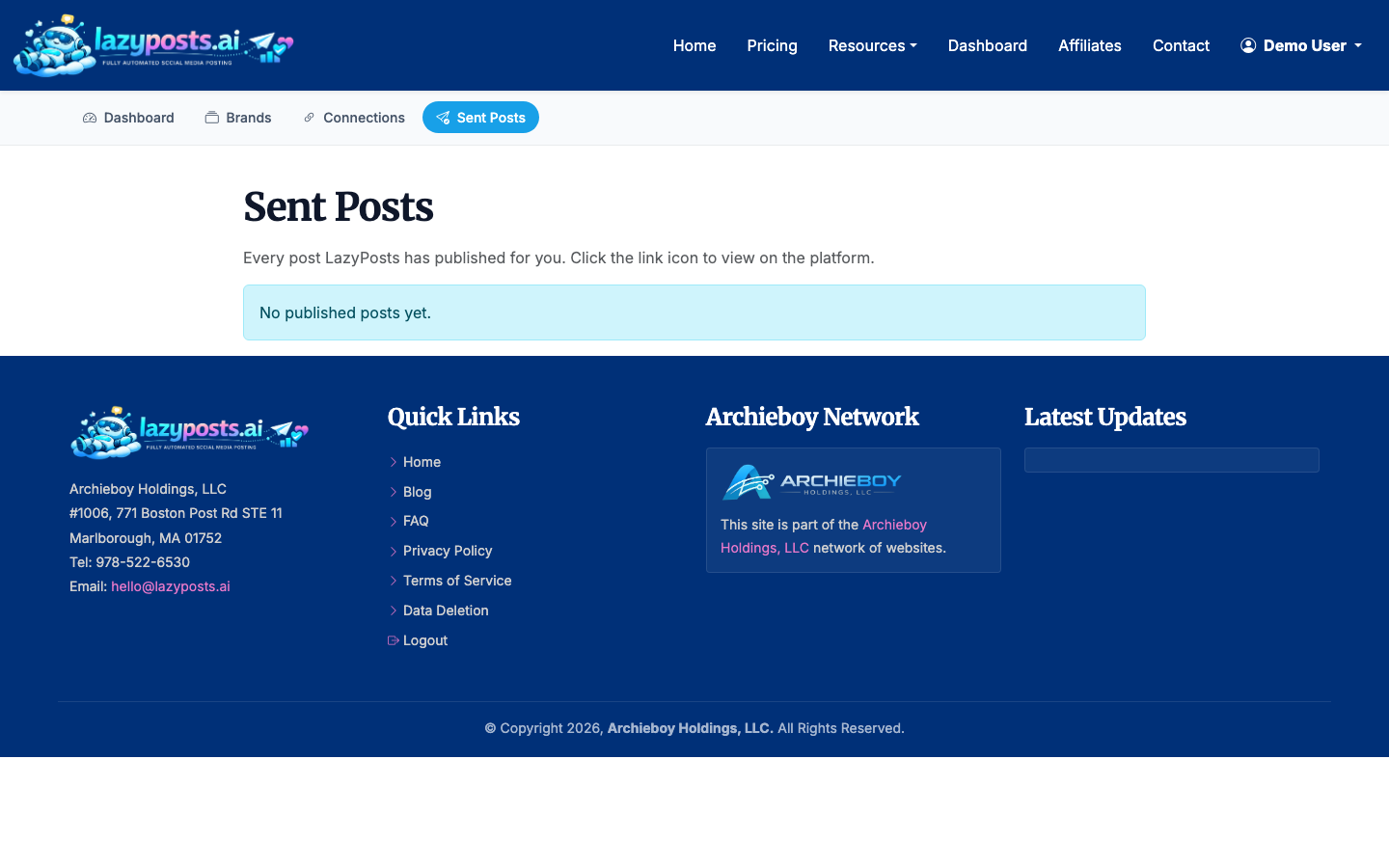
A sent archive is also useful when you want to repurpose content. A post that worked well on LinkedIn can become an Instagram caption, a Facebook update, or a future variation. If your goal is cross-network consistency, compare this with How to Automatically Post from Facebook to Instagram, which covers a more platform-specific version of the same problem.
Should You Post the Same Thing Everywhere?
Sometimes, yes. A simple announcement, holiday closure, new offer, or event reminder can often work across several accounts with light edits.
But for ongoing social content, exact duplication has limits. LinkedIn often rewards more context and professional framing. Instagram may need a stronger visual or shorter caption. Bluesky and Mastodon tend to favor conversational posts. Facebook can work well for local updates, community notes, and practical reminders.
The best automation tools let you reuse the core idea while adjusting the final post by network. That gives you the time savings of automation without making every channel feel copied and pasted.
A Simple Weekly Automation Workflow
If you are starting from scratch, use this rhythm:
- Monday: Review and approve the week’s draft queue.
- Wednesday: Check whether anything needs pausing or editing.
- Friday: Review the sent archive and note which topics are worth repeating.
- Monthly: Update your brand topics, avoid-list, and offers.
This is enough structure for most solo founders and small businesses. The point is not to spend more time managing social media. It is to spend a small, predictable amount of time keeping the automation pointed in the right direction.
Final Checklist Before You Turn Automation On
Before you let posts publish regularly, confirm that:
- Every connected account is the correct account
- Your brand voice is specific enough to guide drafts
- Your avoid-list includes sensitive topics and banned claims
- Drafts are being generated for the right networks
- You know where to pause the brand if needed
- You have reviewed at least one full week of posts
Once those pieces are in place, automation becomes much less risky. You are not giving up control; you are moving repetitive work into a system you can still steer.
